



GEO DB – geological database and documentation
Main features and functions of the program
- User-friendly licensing and upgrade conditions
- Possibility to import geological and geotechnical data stored in databases of other programs
- Efficient and fast data entry from drilling, field tests, and laboratory studies
- Local database under full user control
- Optional simultaneous entry of borehole layer descriptions in several standards - PN-B-02480, PN-EN ISO 14688-1, PN-EN ISO 14689-1, and USCS
- Input, analysis, and interpretation of dynamic sounding (DPL, DPM, DPH, DPSH-A, DPSH-B, SVLT, ITB-ZW) along with calculation of characteristic values of interpreted parameters
- Automation of a number of editing and calculation processes
- Quick generation of target parameter values based on entered partial data and statistical analysis
- Calculation of characteristic values of geotechnical parameters using statistical methods
- Automatic search for soil samples collected from a specified location layers and calculations of characteristic parameter values based on data collected from testing these samples
- Configurable borehole card
- Automatically generated documentation, including:
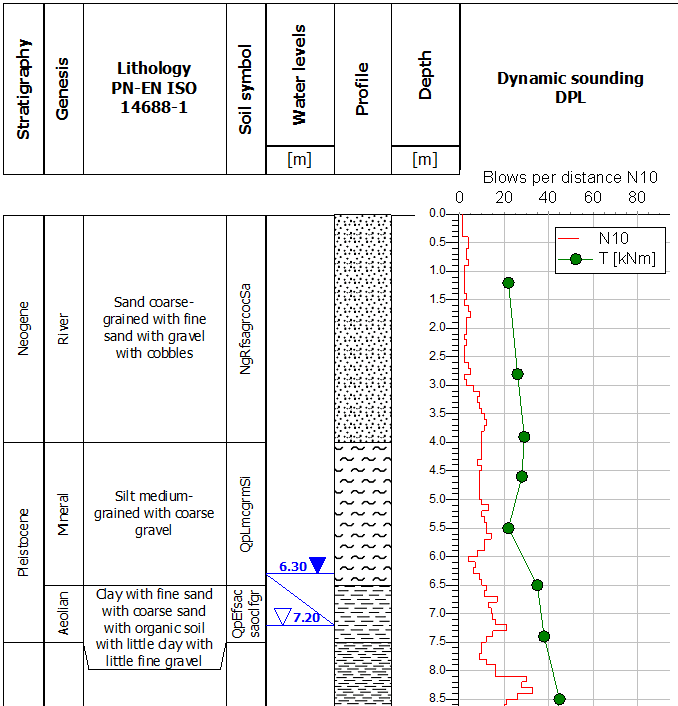
- ▪ Borehole log
- ▪ Dynamic sounding (DPT) log
- ▪ Laboratory test reports
- ▪ Charts
- ▪ Cross-sections and maps - in cooperation with the CPT-CAD program
- Borehole log creation in Polish and English. Possibility to add other languages
- Full compliance with the "Guidelines for the Performance of Subgrade Investigations for Road Construction" and the "Guidelines for the Identification and Investigation of Subgrade for High-Speed Rail Projects" developed by the Polish Geological Institute in cooperation with the AGH University of Science and Technology and the Warsaw University of Technology for the General Directorate for National Roads and Motorways (GDDKiA) and the CPK
- BIM compatibility - export to IFC format data contained in a single borehole or the entire data set for boreholes in a selected project
- Gathering hydrogeological information from piezometric measurements and well performance measurements. Reports from such measurements include information on the construction of the piezometer/well and the measurement results over time
Detailed Information
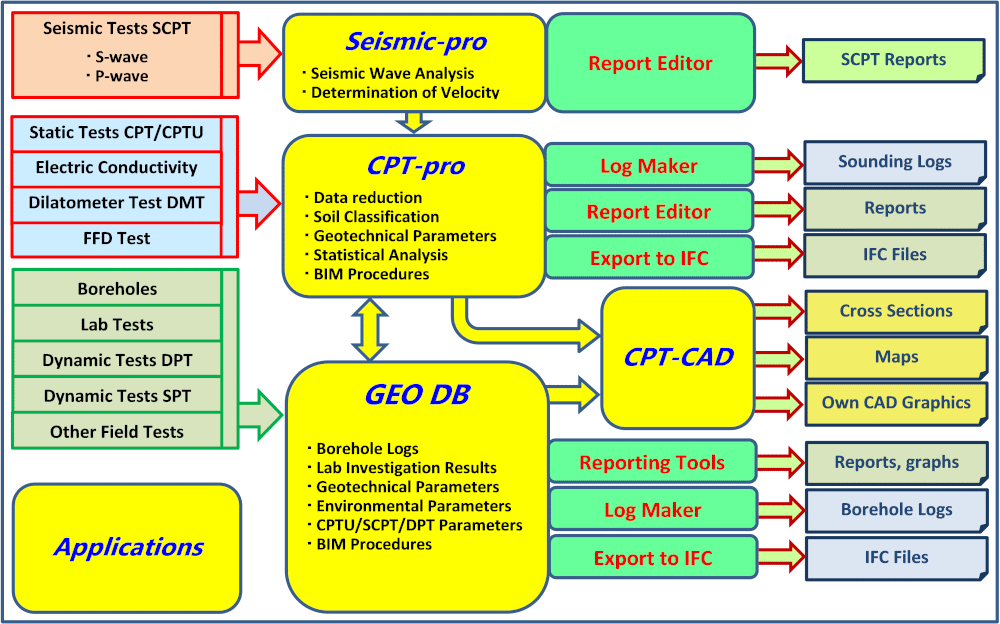
- The program is designed especially for medium and large enterprises where work is performed by large teams, but can also be effectively used by small companies with 1-10 workstations (in the version with MS SQL Express Server)
- Import CPT test interpretation results generated in CPT-pro, including geotechnical parameters and calculated characteristic parameter values
- Export data on borehole layers to CPT-pro to interpret tests based on the classification obtained from the borehole
- Presentation of CPT test interpretation results on the borehole login the form of graphs and numerical values, along with other borehole characteristics
- Calculation of characteristic values of geotechnical parameter using advanced statistical methods based on laboratory soil sample test results and/or external parameter values and/or field test results
- Local and network databases
- Databases based on Access, MS SQL Express Server, and MS SQL Server
- Data entry and creation of geological and geotechnical documentation in any language
- Configurable borehole log (download PDF). Users can declare the content of each field in the header table and the content of each column
- Profile filling with colors or hatching on the borehole card. Fill colors can be consistent with the "Guidelines…" developed by the Polish Geological Institute (PGI) or the standard color palette of the International Chronostratigraphic Chart developed by the International Commission on Stratigraphy
- Reports, including a comprehensive report with sieve analysis results
- Maps, cross-sections, and isolines in CAD graphics - saved in DWG and DXF
- Data export to AGS format
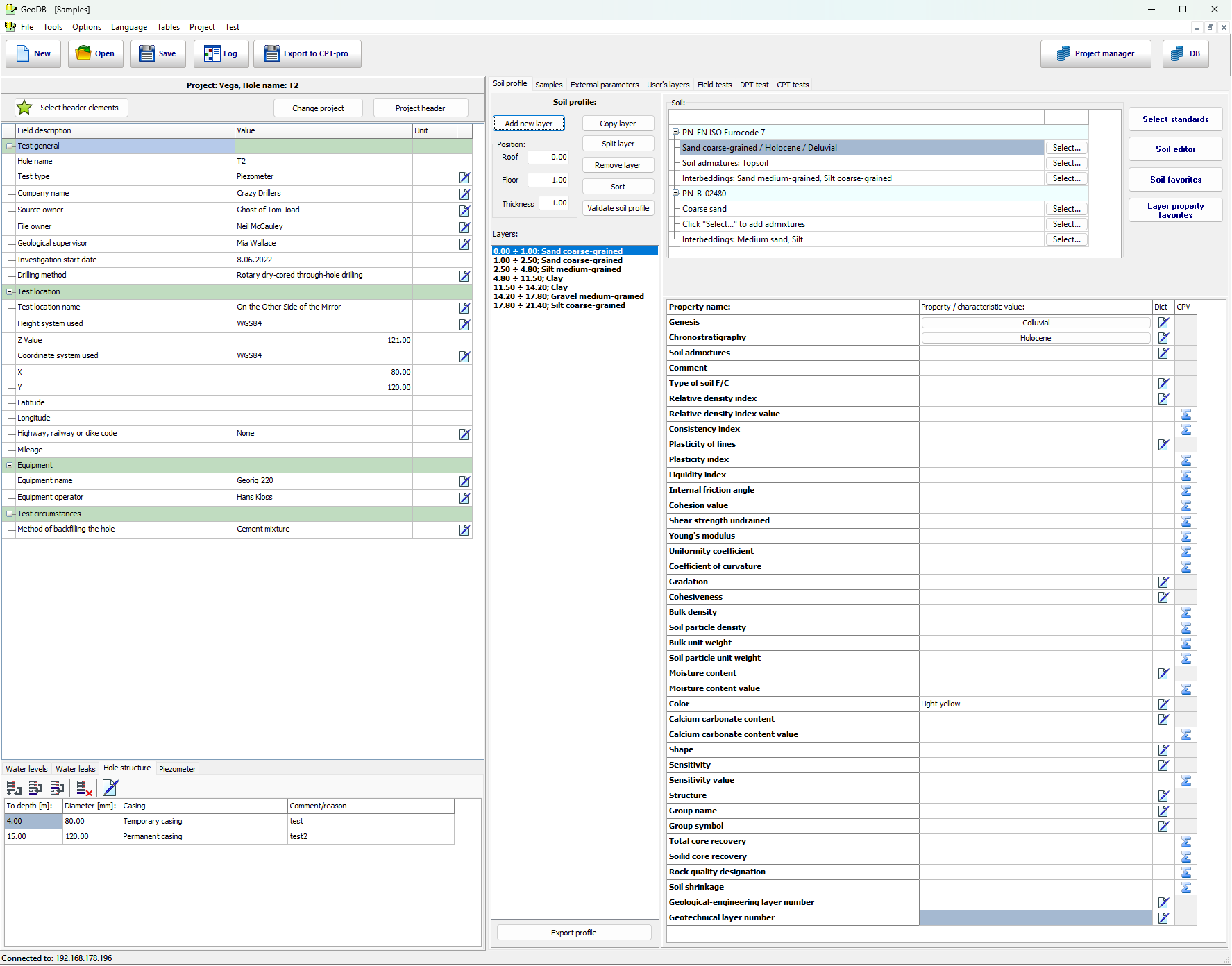
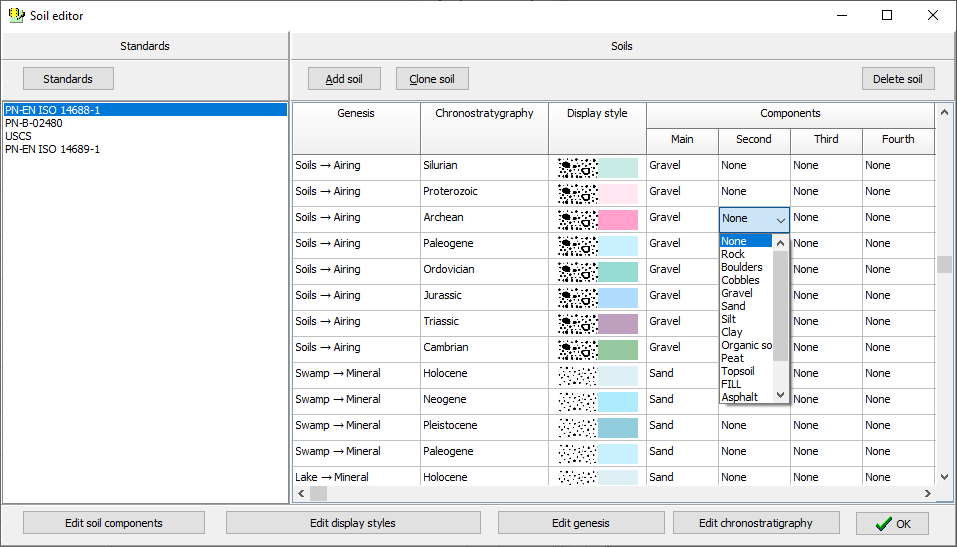
The program includes the entered soil types in accordance with the USCS, ISO 14688-1, ISO 14689-1 i PN-B-02480 standards. Each soil is represented by name, pattern, color, genesis and chronostratigraphy. Built-in Soil Type Editor allows you to create your own soil types according to any national or local standard.
Geotechnical parameters
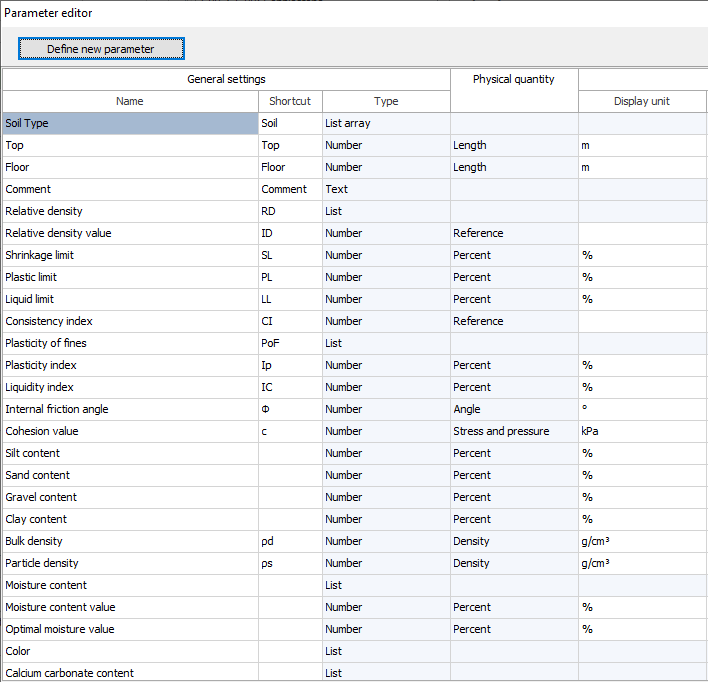
The GEO DB geological and geotechnical database allows the entry of virtually all geotechnical parameters that have a numerical value for a given point or sample. Commonly used parameters are implemented (approximately 180, including approximately 150 that accept numerical values). Additionally, the built-in Parameter Editor allows the creation of any new parameters.
Parameters can be entered into the database as sample properties or as field test results.
Characteric values of parameters
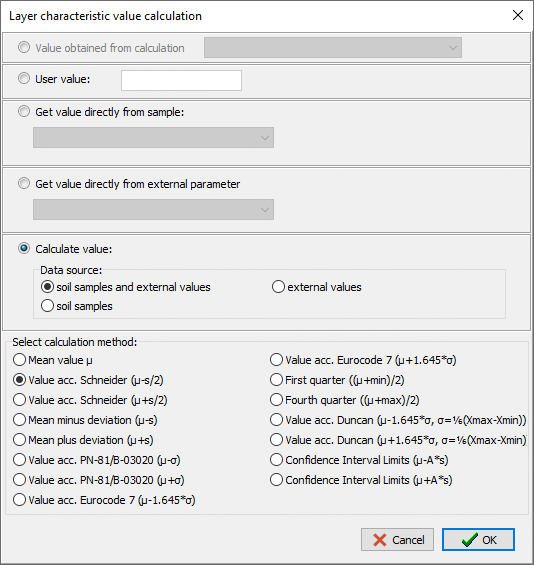
The GEO DB program includes procedures for automatic estimation of the characteristic values of parameters based on the results of laboratory tests.
The following statistical methods for estimating characteristic values are implemented:
- Eurocode 7
- Schneider's method
- Duncan's method
- Polish Standard PN-81/B-03020
- First/fourth quarter method
- Confidence interval limits and Student's t-distribution
Additionally - the User can save the value specified in other studies.
The characteristic values can be calculated for a single hole or for a selected set of holes in total.
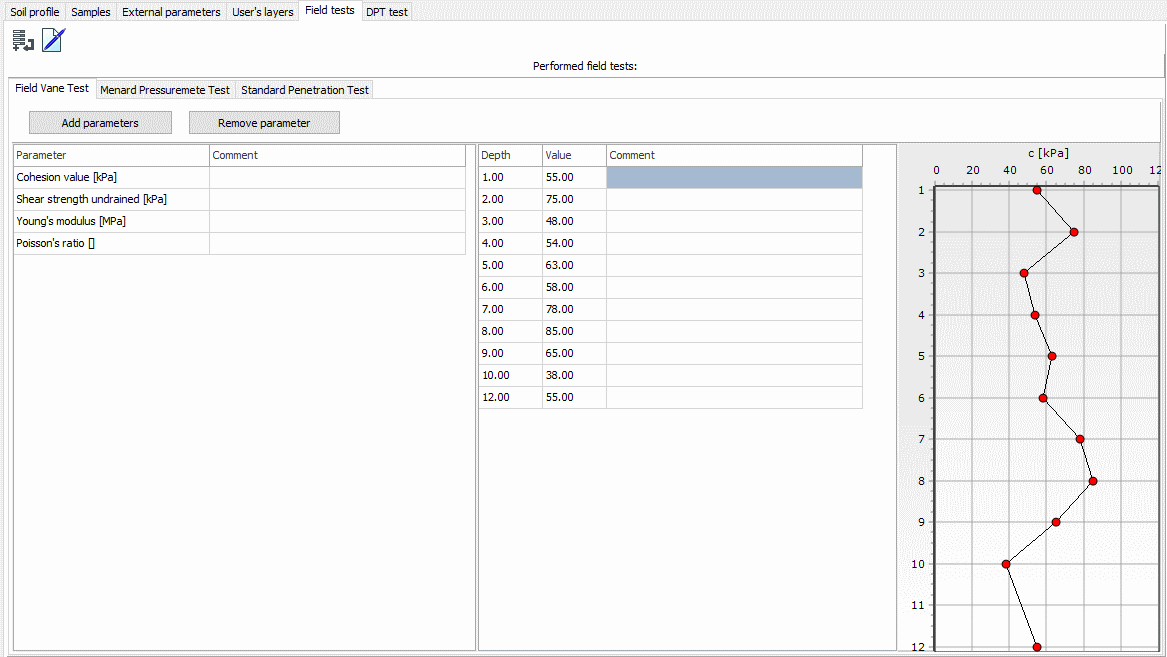
GEO DB allows you to enter native values and values interpreted from field tests (e.g. pore pressure measurement with a stationary sensor, pressiometric Menard modulus, shear strength, soil sensitivity determined in the FVT test, etc.).
Borehole log
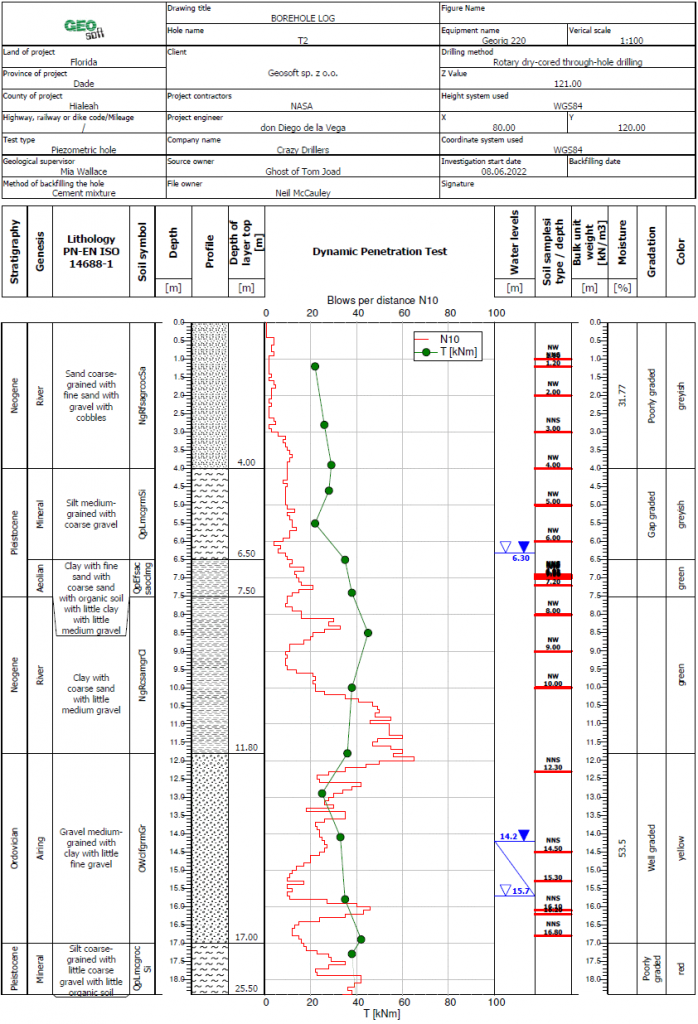
The GEO DB program enables automatic generation of borehole logs, a key element of geological documentation. The borehole log is fully editable by the User, including the ability to change the content of header fields and the number, width, and content of individual columns.
The geological profile can be presented using hatching or colors assigned to specific soil types. If the soil classification complies with ISO 14688-1 and ISO 14689-1, the colors are automatically selected precisely in accordance with the Polish Geological Institute's (PGI) publications "Guidelines for the Performance of Subsoil Investigations for Road Construction" and "Guidelines for the Identification and Investigation of Subsoil for High-Speed Railway Projects." Optionally, the colors used on geological profiles can be aligned with the Standard Color Codes for the Geological Time Scale developed by the Commission for the Geological Map of the World (CGMW) in Paris.
The GEO DB program contains a number of different borehole log patterns, differing in the number of cells in the header table and the number and type/content of columns.
Laboratory tests
The GEO DB program allows for the registration of laboratory test results of soils and rocks and for the estimation of characteristic values of geotechnical parameters based on sample tests and statistical methods.
The program automatically finds all samples taken from a given layer, reads the values obtained in laboratory tests and calculates the characteristic values of the parameters based on them. These characteristic values are then saved in the database as layer properties.
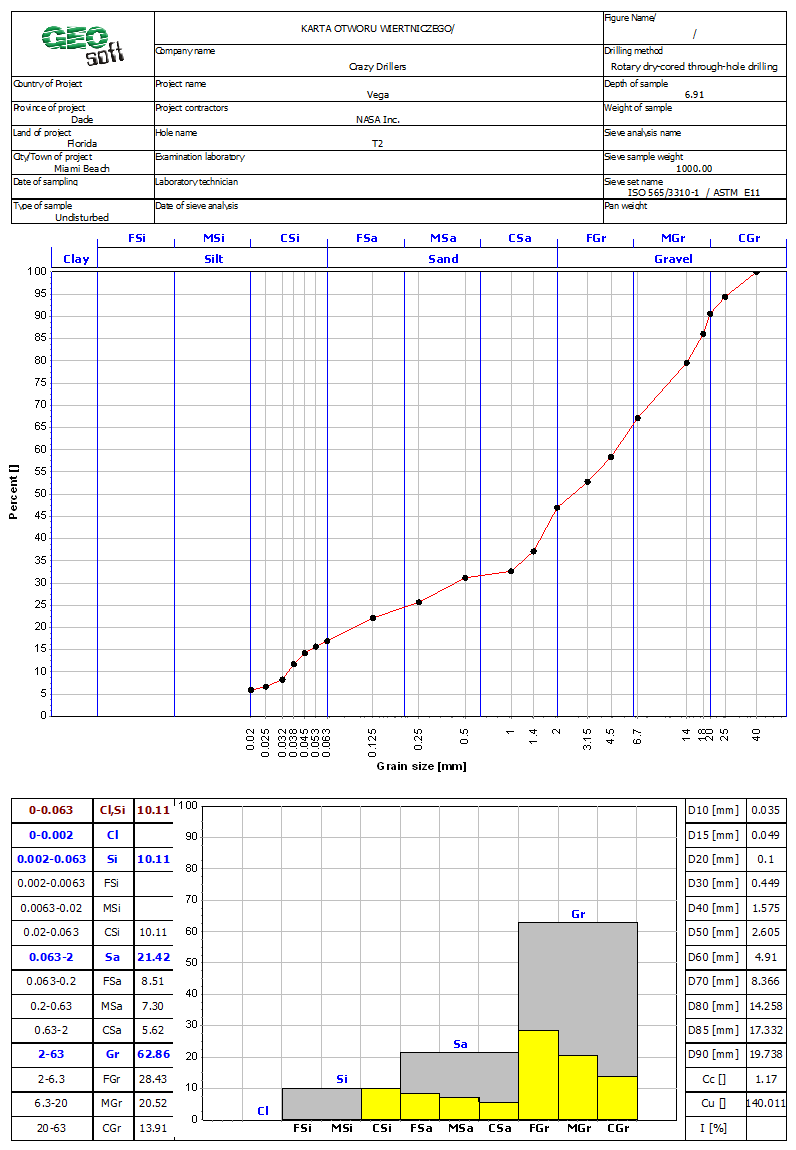
An important element of laboratory tests is sieve analysis. Sieve sizes can be defined by the User depending on the standard used and laboratory equipment.
The selection of a classification standard results in the boundaries between individual soil fractions consistent with this classification standard being plotted on the grain size chart and the appropriate histogram configuration.
The classification standards and sieve set standards are independent of each other. Individual fields in the report header table have the same functionality as fields in the hole card header table.
BIM technology
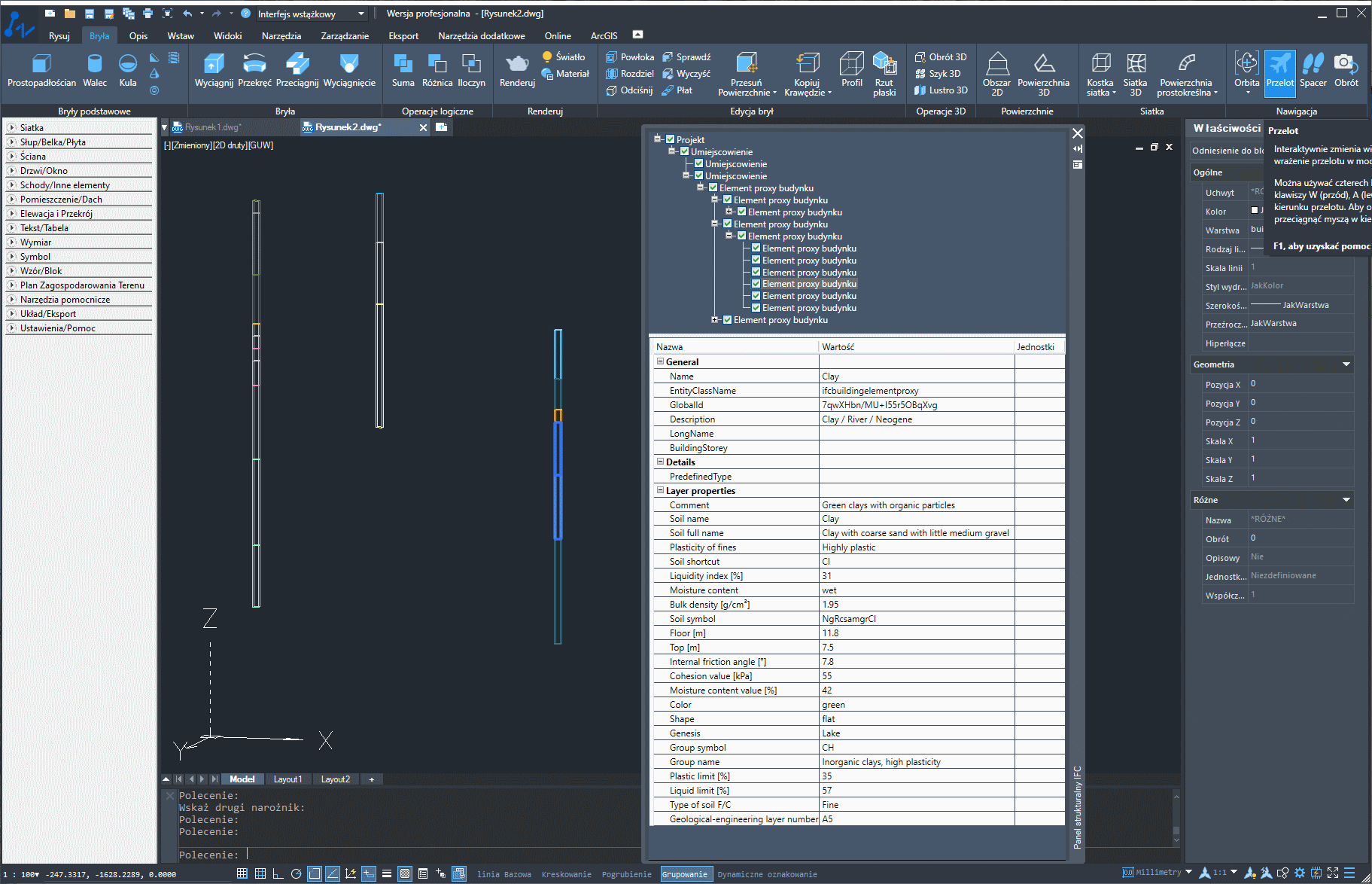
IFC 2x3 file generated in GEO DB and opened in ZW CAD
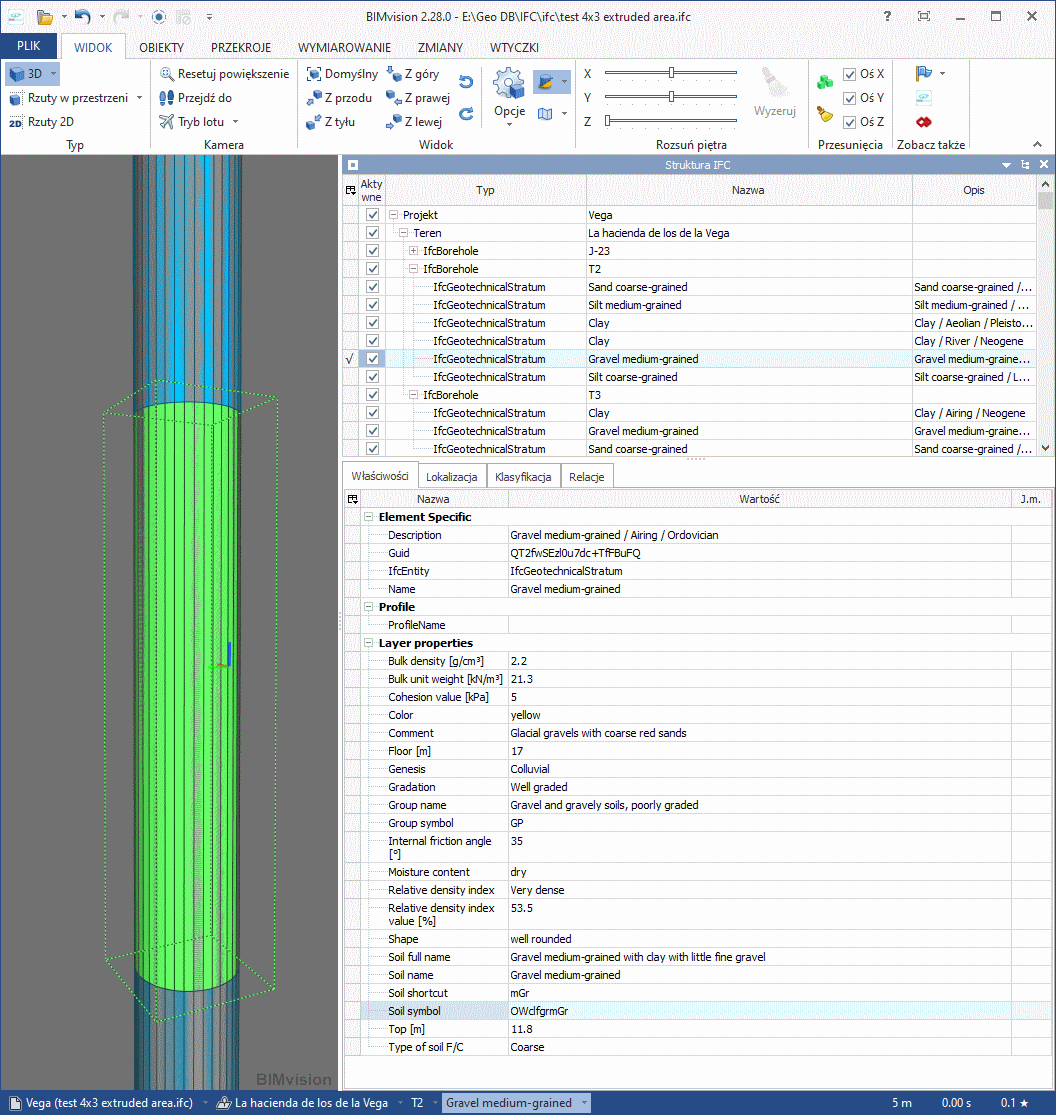
IFC 4x3 file generated in GEO DB and opened in BIMvision